Welcome to Rules
Rules are the objects within Secure60 that look at the data within the system and decide if a specific action should be taken based on that data
We include a range of Managed Rules with your Secure60 subscription that you can elect to enable on your Projects. These rules are maintained, updated and extended by the Secure60 team to offer ongoing threat protection without any customer action.
Managed Rules include:
- Application, Device, Operating System or Cloud Platform specific Rules
- Entity Analytics Rules
This combination is extremely powerful when used together, It enables both technical level analytics and behavioural analysis to be combined together in the system operation. This results in extremely effective detection of security problems and very low false positive rates.
Rule Configuration
There are 2 elements to Rule configuration and deployment:
- Organisation Settings -> Rule Groups
- Rule Groups and Rules are created at the Organisation level. They can be marked as inheritable so that these Rule Groups are visible to sub Organisations in your heirarchy
- Making a Rule Group and Rule at the Organisation level doen’t make the configuration active. For this to happen you need to apply the Rule Group to a Project
- Project Settings -> Rule Groups
- When you apply a Rule Group to a Project, All Rules within the Rule Group become active on that Project.
- When a Rule Group is active on a Project the data queries are running against the data in that Project at the frequency specified in the Rule object.
Elements of a Rule
A Rule is the part of the Secure60 platfrom that is responsible for looking at customer data and idenfitying conditions in that data that prompt the system to perform an action or response.
A Rule internally is a JSON object that has a number of elements. You configure a Rule through the Secure60 portal or via the Secure60 API.
Here is an example rule, we discuss the various elements below:
{
  "conditions": [
    {
      "query": "(event_command ~ '(user|add|expires:never)') ",
      "data_type": "event",
      "trigger": "1"
    }
  ],
  "actions": [
    {
      "action_type": "create_signal",
      "_category": "new-user-created-via-net.exe-with-never-expire-option",
      "_description": "Detects creation of local users via the net.exe command with the option \"never expire\"\r\n\n   references: https://thedfirreport.com/2022/07/11/select-xmrig-from-sqlserver/    level: high",
      "_name": "New User Created Via Net.EXE With Never Expire Option",
      "_score": 50
    },
    {
      "action_type": "create_entity",
      "_entities": [
        {
          "_entity_name": "ip_src_address",
          "category": "new-user-created-via-net.exe-with-never-expire-option",
          "_score": 50
        },
        {
          "_entity_name": "user_name",
          "category": "new-user-created-via-net.exe-with-never-expire-option",
          "_score": 50
        },
        {
          "_entity_name": "host_name",
          "category": "new-user-created-via-net.exe-with-never-expire-option",
          "_score": 50
        }
      ]
    }
  ]
}
Rule Conditions
This component of a rule defines what data to query and how to filter the source data to specific items of interest.
Key elements:
query: The query (in Secure60 Syntax) that filters datadata_type: The type of data to query, eg. Event for raw eventstrigger: How many results are need to trigger the Rule Actions to be executed. Default:1.
Rule Actions
Rules have Actions, which are internal operations inside the Secure60 platform that happen when a Rule Condition is met
Key elements:
action_type: The type of action to execute:create_signalcreate_entitycreate_threat
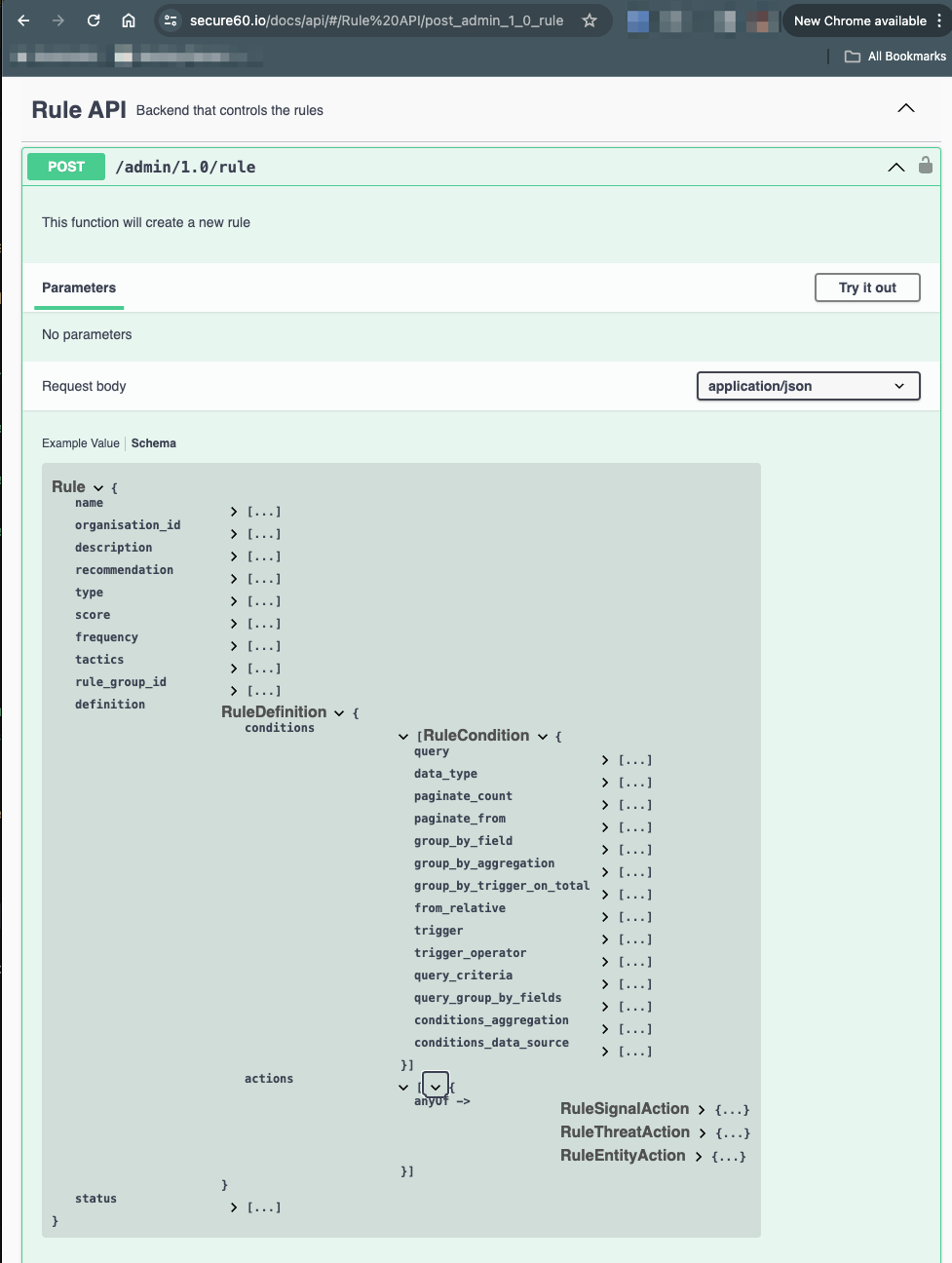
API Definition for full specification of Rules
The Secure60 API definition contains the full detail of every field than can be used in a rule: https://www.secure60.io/docs/api/#/Rule%20API/post_admin_1_0_rule
Sample from API:
 Back to top